
SHAWGRID FIELD NOTES · 27 OCTOBER 2026 · 6 MIN READ
How a business enquiry becomes a tracked workflow.
An enquiry is easy to collect. The harder part is making its owner, next action and follow-up visible. Here is a walkthrough of the ShawGrid enquiry desk.
Start with one question: who takes the next step?
A shared inbox can tell you that a buyer asked a question. It may not tell the next person whether anyone replied, whether a visit was agreed, or when to follow up. A useful first release makes those handoffs explicit before adding automation.
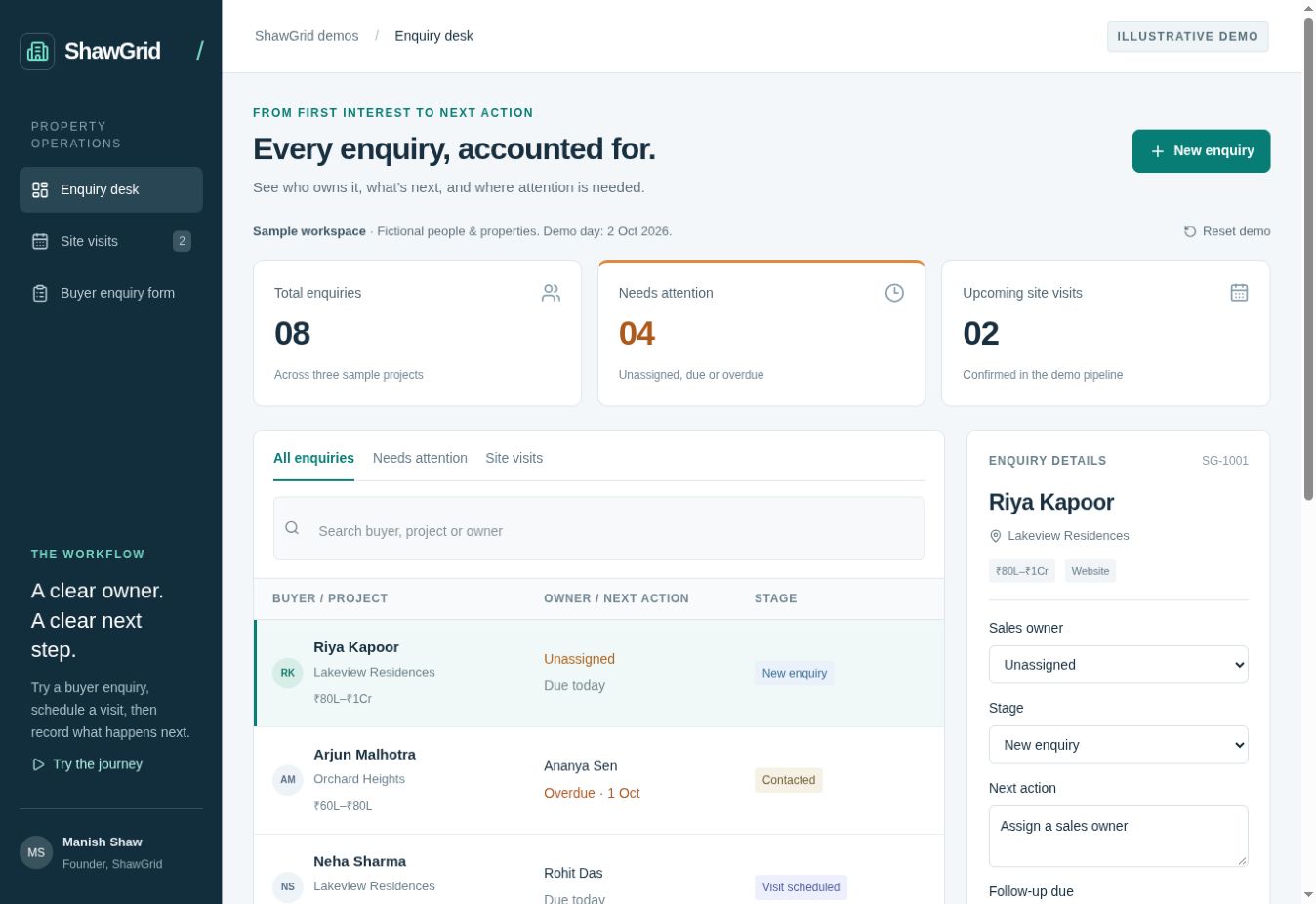
Try the workflow in five steps.
- Open the sample workspace. Launch the enquiry tracker demo. Its opening view shows owner, next action and stage together. Reset demo restores the fictional starting records.
- Choose Riya Kapoor. The starting record is unassigned and due today. Select a sales owner, replace “Assign a sales owner” with a concrete follow-up such as “Confirm preferred site visit time”, then save changes.
- Make the handoff explicit. Set a suitable follow-up date and stage. A next action should say what someone will do, not simply “follow up”. Check the activity area after saving.
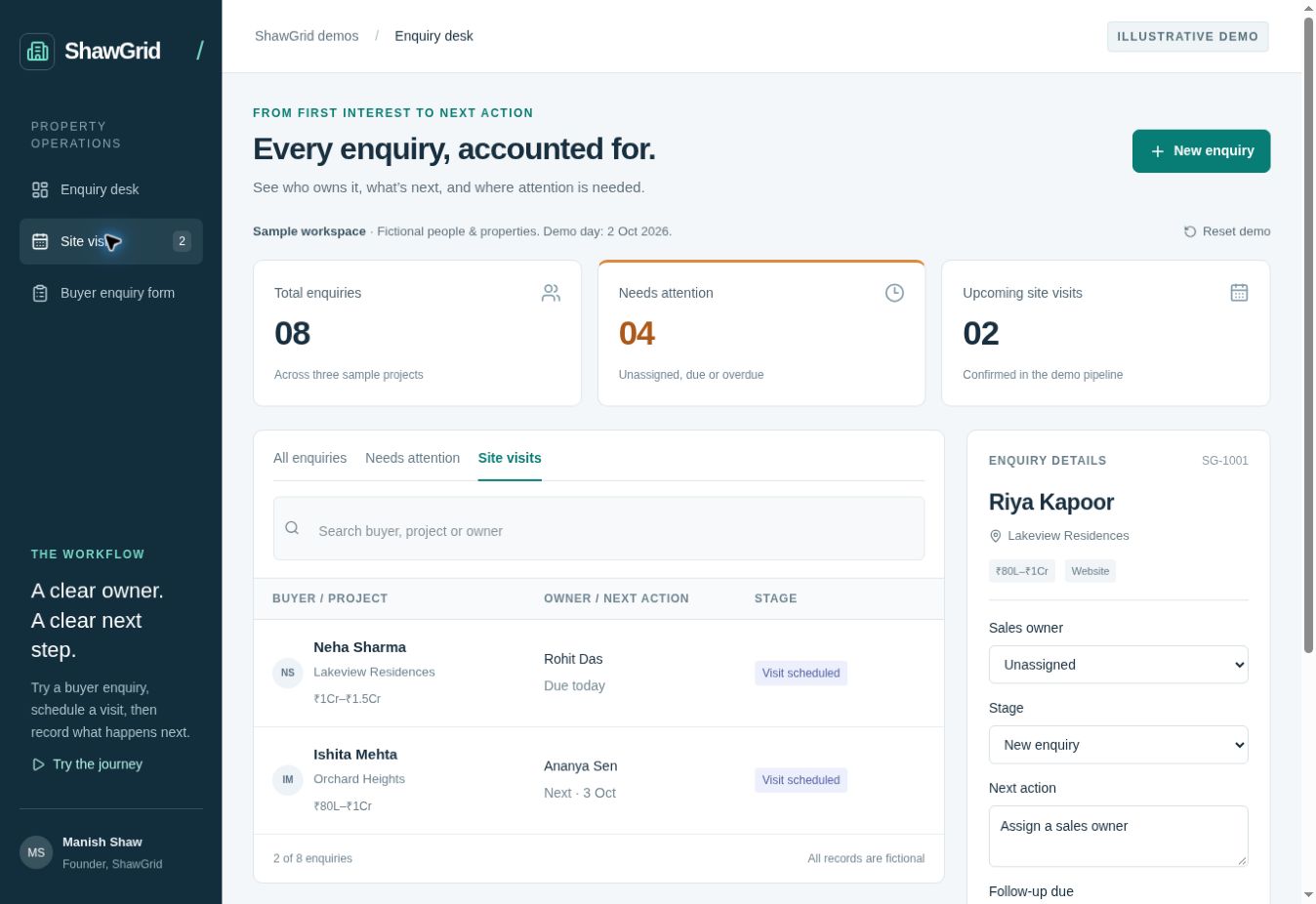
- Review site visits. The Site visits view filters the list. At reset, Neha Sharma and Ishita Mehta are the two fictional visit-scheduled records. Select one to inspect its details; filtering the list does not itself change the selected enquiry.
- Check the exception queue. Needs attention brings unassigned, due or overdue work into focus. Check the owner and next action before treating a record as handled.
What must change for a production integration?
| Decision | Practical implementation question |
|---|---|
| Source of truth | Does the CRM own the customer record, or does this workflow? Choose a stable external ID before syncing. |
| Duplicate delivery | Can the website or provider retry a submission? An idempotency key must prevent the same event creating two enquiries. |
| Delivery failure | Which errors can retry, how many times, and who sees the items that still fail? Keep a visible exception queue. |
| Ownership | Who may assign, reassign or close an enquiry? Record the actor and change; browser-only sample state is not an audit system. |
| Reminders | Which channel, timezone and consent apply? A due badge is not proof that a reminder was delivered. |
| Personal data | Agree access, retention and deletion before connecting real contact details. Do not use this public demo for live buyers. |
Measure the handoff before expanding it.
For an agreed pilot, record the share of enquiries with an owner and a dated next action, time from receipt to assignment, duplicate records, and unresolved delivery failures. Establish a starting point first. This demonstration does not establish time saved or conversion lift.
Manual ownership is easy to understand but depends on staff discipline. Automatic assignment can reduce repetitive sorting, but needs availability rules and a fallback owner. Two-way CRM sync adds convenience and conflict-handling work. Start with the smallest workflow that answers the operational question.
Bring one workflow to a free preview.
List the source system, destination, trigger, fields and exception owner. A fictional payload or rough sketch is enough for the first conversation. Never send credentials or real customer records in the enquiry form.
One workflow, up to two screens, sample data and one revision; scope and timing are confirmed together, subject to capacity. Live integrations and production delivery are scoped separately.